
Subscribe here for emails pertaining to future registrations, including dates and reminders.
This email list is open to Previously Enrolled and potential New Clients.
• PREVIOUS: previously completed a session of lessons with us but NOT currently enrolled
• NEW CLIENT: families new to our program
Subscribing does NOT affect your actual registration priority. Priority is based on whether you have previously completed a session of lessons with us or not.
Current Families: You are automatically subscribed to our in-house notification system, so there is no need to subscribe here.
Online registration is accepted on assigned dates and times for each session.
Please see Registration Dates.
Our ONLINE REGISTRATION website is www.aquaventuresregistration.com
Online registration is accepted on assigned dates and times for each session.
Please see Registration Dates.
TO GAIN ACCESS, PLEASE COMPLETE OUR ONLINE FORM HERE.

Press a Topic Below to Learn More About How to Register!
Press a Topic Below to Learn More About How to Register!
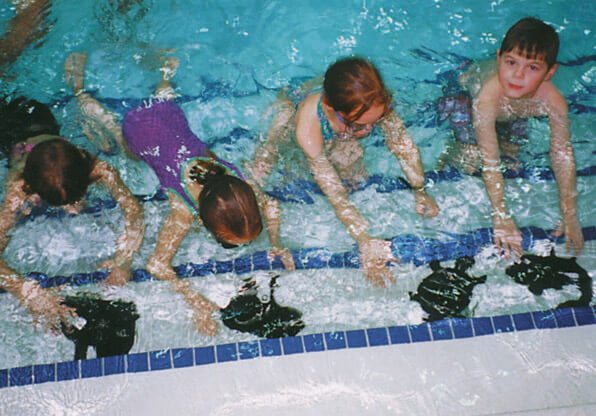
Our registration system gives priority to clients CURRENTLY ENROLLED, then to PREVIOUS clients, then we open to NEW clients.
Priority is based on family, so siblings can register as priority students if any family member is currently enrolled or was previously enrolled.
The following order of priority is used for each registration:
1. CURRENT CLIENTS: KEEP SAME DAY
First priority goes to clients currently enrolled in lessons who want to register for a class at any time on the same day that they are currently swimming.
2. CURRENT CLIENTS: SWITCH DAY
Next, clients currently enrolled in lessons may register for any class day or time.
3. PREVIOUSLY ENROLLED CLIENTS
Previously Enrolled (or returning) clients are families where at least one family member has completed at least one session of lessons with us since January 2011.
4. NEW CLIENTS
All CURRENT priority families will receive a registration reminder via our in-house notification system. Be sure to check your junk/spam folder.
Registration dates for each session are posted HERE
Fees are posted on our website HERE
Check Schedule/Availability:
- Login at aquaventuresregistration.com.
- In menu bar, click “Family Account”, “Students” tab to note your child’s eligible level(s).
- Skill levels are assigned to your child. When you submit your registration request, you will not be able to choose your own level, and you cannot register for the wrong level.
- Student evaluations for the current session will be completed and updated in your account before registration day. Please contact us if you have any questions or concerns about this skill level or your child’s progress.
- In menu bar, click “Check Availability”.
- Select your child’s eligible level(s). You can select split levels – we will determine if these are appropriate for your child when we process your registration request. You can select multiple levels for one search. Click “Search”.
- Class availability will now be shown. Classes in red are FULL and classes in green are POTENTIALLY AVAILABLE. They are “potentially” available because when you register, you are just submitting a registration request. It does not necessarily mean that it will be available when we process your registration request, as requests are processed in the order that they are received.
REGISTRATION AND WAITLIST PROCEDURE
KEEP SAME DAY Registration:
- All families have first priority to register for a class at any time on the same day of the week that they are currently registered.
- This is not priority to keep the exact same class time.
- When preschool and school age students are promoted to the next level, that level may not be offered at the same time. If you prefer to keep a class at approximately the same time and it is not on the schedule, please let us know and we may be able to adjust the schedule if there is demand.
SWITCH DAY Registration:
- If you want to register for a different day of the week, you will need to wait until after Keep Same Day registration
- Most after-school, evening, and weekend classes are filled by Keep Same Day registration. If there is a time on your day that still works as a backup, we recommend registering for that first at Keep Same Day registration.
- When you submit a Switch Day registration request, we can transfer you to the new class if a space is available. If no space is available, then you will be waitlisted and still have your backup.
Video Demos: How To Register Online
Current Clients KEEP SAME DAY: https://youtu.be/9Ksa2ARUC30
Current Clients SWITCH DAY: https://youtu.be/LS_Jpx4h5QQ
- You may select up to 10 class preferences. Be sure to select as many as possible to increase your chances of getting a class.
- If you select classes that are already full (highlighted in red), you will be placed on the waiting list.
- Use the comment box to let us know about anything that you could not indicate with your selections. For example: siblings at the same time or back-to-back, in a class with friend, would also like waiting lists for (specify days and time range).
On registration day, we recommend that all clients login to their account at www.aquaventuresregistration.com just before 8:00am on your registration day. A countdown timer will be shown and you can submit your registration request as soon as registration opens at 8:00am.
Note that it is not a “live” registration, i.e. you are not registering your child into a class. You will be submitting a registration request online.
Registration requests are processed on a first-come-first-serve basis. We will accept registration requests ONLINE ONLY between 8:00-10:00am of the assigned day. After 10:00am, you may still submit your registration request by email to hello@aquaventuresswim.com, however we will process all online requests, then email ones, in the order that they are received.
CONFIRMATION AND PAYMENT
If you submitted a registration request on the assigned registration day, you will receive an email confirmation by the end of the day. Please check your Junk/Spam folder.
Our email confirmation will contain instructions for how to view your confirmed class(es) and/or waiting lists online and how to make payment.
Payment for any outstanding balance must be made within 24 hours to hold your class(es).

Our summer schedule is different from the rest of the year. Not all classes are once per week and there are no weekend classes. If you do not register for summer, you will not lose priority; you will maintain CURRENT priority for the fall session.
All CURRENT priority families will receive a registration reminder via our in-house notification system. Be sure to check your junk/spam folder.
Registration dates for each session are posted HERE
Fees are posted on our website HERE
Check Schedule/Availability:
- Login at aquaventuresregistration.com.
- In menu bar, click “Family Account”, “Students” tab to note your child’s eligible level(s).
- Skill levels are assigned to your child. When you submit your registration request, you will not be able to choose your own level, and you cannot register for the wrong level.
- Student evaluations for the current spring session will be completed and updated in your account before registration day. Please contact us if you have any questions or concerns about this skill level or your child’s progress.
- In menu bar, click “Check Availability”.
- Select your child’s eligible level(s). You can select split levels – we will determine if these are appropriate for your child when we process your registration request. You can select multiple levels for one search. Click “Search”.
- Class availability will now be shown. Classes in red are FULL and classes in green are POTENTIALLY AVAILABLE. They are “potentially” available because when you register, you are just submitting a registration request. It does not necessarily mean that it will be available when we process your registration request, as requests are processed in the order that they are received.
- Sessions/weeks (Daily, Once per week, Twice per week) are listed in blue tabs across the top of the timetable. Click each tab to see the availability for that session/week.
REGISTRATION AND WAITLIST PROCEDURE
Video Demo: SUMMER Session – How To Register Online
- If you would like to register for just 1 session/week, click the first green “Register” button.
- Select a child. (If you are registering multiple children, you will repeat the following process for each child after submitting.)
- Click the blue tab for the session that you prefer – Daily, Once per week, Twice per week, then select your time preferences.
- You may select up to 10 time preferences for each session/week. Be sure to select as many as possible to increase your chances of getting a class.
- If you select classes that are already full (highlighted in red), you will be placed on the waiting list.
- Use the comment box to let us know about anything that you could not indicate with your selections. For example: siblings at the same time or back-to-back, in a class with friend, would also like waiting lists for (specify days and time range).
- If you would like to register for additional sessions/weeks, click the 2nd, 3rd, 4th green “Register” buttons and follow the same steps. Be sure to select a DIFFERENT session/week from the previous submission(s).
On registration day, we recommend that all clients login to their account at www.aquaventuresregistration.com just before 8:00am on your registration day. A countdown timer will be shown and you can submit your registration request as soon as registration opens at 8:00am.
Note that it is not a “live” registration, i.e. you are not registering your child into a class. You will be submitting a registration request online.
Registration requests are processed on a first-come-first-serve basis. We will accept registration requests ONLINE ONLY between 8:00-10:00am of the assigned day. After 10:00am, you may still submit your registration request by email to hello@aquaventuresswim.com, however we will process all online requests, then email ones, in the order that they are received.
CONFIRMATION AND PAYMENT
If you submitted a registration request on the assigned registration day, you will receive an email confirmation by the end of the day. Please check your Junk/Spam folder.
Our email confirmation will contain instructions for how to view your confirmed class(es) and/or waiting lists online and how to make payment.
Payment for any outstanding balance must be made within 24 hours to hold your class(es).
Subscribe to our REGISTRATION email list at the following link: http://eepurl.com/b_Ejv1 We will send out any info pertaining to future registrations via this email list.
Registration dates for each session are posted HERE
Fees are posted on our website HERE
CLASS AVAILABILITY
We recommend all families check for availability of classes online one day before registration, to know which classes have filled and what might still be available. Some of our most popular days/times may be filled by current priority families. Please try to be as flexible as possible with your availability.
If your child is 3 years or older and has completed lessons elsewhere since your last session with us, please email us to determine if you need to come in for complimentary in-water assessment. You can also email us their most recent report card.
Check Schedule/Availability:
- Login at aquaventuresregistration.com.
- In menu bar, click “Family Account”, “Students” tab to note your child’s eligible level(s). Skill levels are assigned to your child. When you submit your registration request, you will not be able to choose your own level, and you cannot register for the wrong level.
- In menu bar, click “Check Availability”.
- Select your child’s eligible level(s). You can select split levels – we will determine if these are appropriate for your child when we process your registration request. You can select multiple levels for one search. Click “Search”.
- Class availability will now be shown. Classes in red are FULL and classes in green are POTENTIALLY AVAILABLE. They are “potentially” available because when you register, you are just submitting a registration request. It does not necessarily mean that it will be available when we process your registration request, as requests are processed in the order that they are received.
REGISTRATION AND WAITLIST PROCEDURE
Video Demo: PREVIOUSLY ENROLLED CLIENTS – How To Register Online
- You may select up to 10 class preferences. Be sure to select as many as possible to increase your chances of getting a class.
- If you select classes that are already full (highlighted in red), you will be placed on the waiting list.
- Use the comment box to let us know about anything that you could not indicate with your selections. For example: siblings at the same time or back-to-back, in a class with friend, would also like waiting lists for (specify days and time range).
On registration day, we recommend that all clients login to their account at www.aquaventuresregistration.com just before 8:00am on your registration day. A countdown timer will be shown and you can submit your registration request as soon as registration opens at 8:00am.
Note that it is not a “live” registration, i.e. you are not registering your child into a class. You will be submitting a registration request online.
Registration requests are processed on a first-come-first-serve basis. We will accept registration requests ONLINE ONLY between 8:00-10:00am of the assigned day. After 10:00am, you may still submit your registration request by email to hello@aquaventuresswim.com, however we will process all online requests, then email ones, in the order that they are received.
CONFIRMATION AND PAYMENT
If you submitted a registration request on the assigned registration day, you will receive an email confirmation by the end of the day. Please check your Junk/Spam folder.
Our email confirmation will contain instructions for how to view your confirmed class(es) and/or waiting lists online and how to make payment.
Payment for any outstanding balance must be made within 24 hours to hold your class(es).
Subscribe to our REGISTRATION email list at the following link: http://eepurl.com/b_Ejv1 We will send out any info pertaining to future registrations via this email list.
PLEASE NOTE: Completing a summer session does not give Current priority for the fall session. In order to gain Current priority registration, you will need to be registered in the fall session.
Registration dates for each session are posted HERE
Fees are posted on our website HERE
CLASS AVAILABILITY
We recommend all families check for availability of classes online one day before registration, to know which classes have filled and what might still be available. Some of our most popular days/times may be filled by current priority families. Please try to be as flexible as possible with your availability.
If your child is 3 years or older and has completed lessons elsewhere since your last session with us, please email us to determine if you need to come in for complimentary in-water assessment. You can also email us their most recent report card.
Check Schedule/Availability:
- Login at aquaventuresregistration.com.
- In menu bar, click “Family Account”, “Students” tab to note your child’s eligible level(s). Skill levels are assigned to your child. When you submit your registration request, you will not be able to choose your own level, and you cannot register for the wrong level.
- In menu bar, click “Check Availability”.
- Select your child’s eligible level(s). You can select split levels – we will determine if these are appropriate for your child when we process your registration request. You can select multiple levels for one search. Click “Search”.
- Class availability will now be shown. Classes in red are FULL and classes in green are POTENTIALLY AVAILABLE. They are “potentially” available because when you register, you are just submitting a registration request. It does not necessarily mean that it will be available when we process your registration request, as requests are processed in the order that they are received.
- Sessions/weeks (Daily, Once per week, Twice per week) are listed in blue tabs across the top of the timetable. Click each tab to see the availability for that session/week.
REGISTRATION AND WAITLIST PROCEDURE
Video Demo: SUMMER Session – How To Register Online
- If you would like to register for just 1 session, click the first green “Register” button.
- Select a child. (If you are registering multiple children, you will repeat the following process for each child after submitting.)
- Click the blue tab for the session that you prefer – Daily, Once per week, Twice per week, then select your time preferences.
- You may select up to 10 time preferences for each session/week. Be sure to select as many as possible to increase your chances of getting a class.
- If you select classes that are already full (highlighted in red), you will be placed on the waiting list.
- Use the comment box to let us know about anything that you could not indicate with your selections. For example: siblings at the same time or back-to-back, in a class with friend, would also like waiting lists for (specify days and time range).
- If you would like to register for additional sessions, click the 2nd, 3rd, 4th green “Register” buttons and follow the same steps. Be sure to select a DIFFERENT session/week from the previous submission(s).
On registration day, we recommend that all clients login to their account at www.aquaventuresregistration.com just before 8:00am on your registration day. A countdown timer will be shown and you can submit your registration request as soon as registration opens at 8:00am.
Note that it is not a “live” registration, i.e. you are not registering your child into a class. You will be submitting a registration request online.
Registration requests are processed on a first-come-first-serve basis. We will accept registration requests ONLINE ONLY between 8:00-10:00am of the assigned day. After 10:00am, you may still submit your registration request by email to hello@aquaventuresswim.com, however we will process all online requests, then email ones, in the order that they are received.
CONFIRMATION AND PAYMENT
If you submitted a registration request on the assigned registration day, you will receive an email confirmation by the end of the day. Please check your Junk/Spam folder.
Our email confirmation will contain instructions for how to view your confirmed class(es) and/or waiting lists online and how to make payment.
Payment for any outstanding balance must be made within 24 hours to hold your class(es).

Subscribe to our REGISTRATION email list at the following link: http://eepurl.com/b_Ejv1. We will send out any info pertaining to future registrations via this email list.
REGISTRATION AND WAITLIST PROCEDURE
Registration dates for each session are posted HERE
Fees are posted on our website HERE
In order to register online, new families MUST complete this online form: https://tinyurl.com/avnewclient to create an account and gain online access. We will reply back once we have created your account.
On registration day, we recommend that all clients login to their account at www.aquaventuresregistration.com just before 8:00am on your registration day. A countdown timer will be shown and you can submit your registration request as soon as registration opens at 8:00am.
Note that it is not a “live” registration, i.e. you are not registering your child into a class. You will be submitting a registration request online.
Registration requests are processed on a first-come-first-serve basis. We will accept registration requests ONLINE ONLY between 8:00-10:00am on the assigned day. After 10:00am, you may still submit your registration request by email to hello@aquaventuresswim.com, however we will process all online requests, then email ones, in the order that they are received.
Video Demo: NEW CLIENTS – How To Register Online
- You may select up to 10 class preferences. Be sure to select as many as possible to increase your chances of getting a class.
- If you select classes that are already full (highlighted in red), you will be placed on the waiting list.
- Use the comment box to let us know about anything that you could not indicate with your selections. For example: siblings at the same time or back-to-back, in a class with friend, would also like waiting lists for (specify days and time range).
CLASS AVAILABILITY
We recommend all families check for availability of classes online one day before registration, to know which classes have filled and what might still be available. As a new client, you will find that many of our most popular days/times will be already filled by current and previous priority families. Please try to be as flexible as possible with your availability.
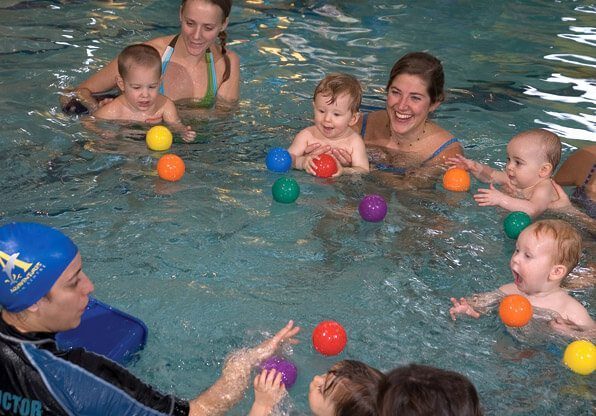
For students 6 months to under 3 years, Family Tot is our parent participation class.
For students age 3 or older, our system will default to the beginner level based on age. If your child is 3 years or older and NOT a beginner (can swim unassisted with face in the water), please email us to book a complimentary in-water assessment and let us know their current level.
Check Schedule/Availability:
- Login at aquaventuresregistration.com.
- n menu bar, click “Family Account”, “Students” tab to note your child’s eligible level(s). Skill levels are assigned to your child. When you submit your registration request, you will not be able to choose your own level, and you cannot register for the wrong level.
- In menu bar, click “Check Availability”.
- Select your child’s eligible level(s). You can select split levels – we will determine if these are appropriate for your child when we process your registration request. You can select multiple levels for one search. Click “Search”.
- Class availability will now be shown. Classes in red are FULL and classes in green are POTENTIALLY AVAILABLE. They are “potentially” available because when you register, you are just submitting a registration request. It does not necessarily mean that it will be available when we process your registration request, as requests are processed in the order that they are received.
CONFIRMATION & PAYMENT
If you submitted a registration request on the assigned registration day, you will receive an email confirmation. Please check your Junk/Spam folder.
Our email confirmation will contain instructions for how to view your confirmed class(es) and/or waiting lists online and how to make payment.
Payment for any outstanding balance must be made within 24 hours to hold your class(es).
WAITING LISTS
Waitlists are for specific class days and times in a specific session – they do not carry over from one session to the next. There is no general waitlist for entry into the program.
You can register for a class and still be waitlisted for more preferred times. If a waitlist becomes available, you can switch to the new class time.
We will contact waitlists until the 3rd lesson of a session. No cancellations or change of class times are allowed after the 3rd lesson.

Subscribe to our REGISTRATION email list at the following link: http://eepurl.com/b_Ejv1. We will send out any info pertaining to future registrations via this email list.
PLEASE NOTE: Completing a summer session will allow you to register as Previously Enrolled for the fall session, not Current. When you are registered for the fall session, you will gain Current priority for the following registration.
REGISTRATION AND WAITLIST PROCEDURE
Registration dates for each session are posted HERE
Fees are posted on our website HERE
In order to register online, new families MUST complete this online form: https://tinyurl.com/avnewclient to create an account and gain online access. We will reply back once we have created your account.
On registration day, we recommend that all clients login to their account at www.aquaventuresregistration.com just before 8:00am on your registration day. A countdown timer will be shown and you can submit your registration request as soon as registration opens at 8:00am.
Note that it is not a “live” registration, i.e. you are not registering your child into a class. You will be submitting a registration request online.
Registration requests are processed on a first-come-first-serve basis. We will accept registration requests ONLINE ONLY between 8:00-10:00am on the assigned day. After 10:00am, you may still submit your registration request by email to hello@aquaventuresswim.com, however we will process all online requests, then email ones, in the order that they are received.
Video Demo: SUMMER Session – How To Register Online
- If you would like to register for just 1 session, click the first green “Register” button.
- Select a child. (If you are registering multiple children, you will repeat the following process for each child after submitting.)
- Click the blue tab for the session that you prefer – Daily, Once per week, Twice per week, then select your time preferences.
- You may select up to 10 time preferences for each session/week. Be sure to select as many as possible to increase your chances of getting a class.
- If you select classes that are already full (highlighted in red), you will be placed on the waiting list.
- Use the comment box to let us know about anything that you could not indicate with your selections. For example: siblings at the same time or back-to-back, in a class with friend, would also like waiting lists for (specify days and time range).
- If you would like to register for additional sessions, click the 2nd, 3rd, 4th green “Register” buttons and follow the same steps. Be sure to select a DIFFERENT session/week from the previous submission(s).
CLASS AVAILABILITY
We recommend all families check for availability of classes online one day before registration, to know which classes have filled and what might still be available. As a new client, you will find that many of our most popular days/times will be already filled by current and previous priority families. Please try to be as flexible as possible with your availability.
For students 6 months to under 3 years, Family Tot is our parent participation class.
For students age 3 or older, our system will default to the beginner level based on age. If your child is 3 years or older and NOT a beginner (can swim unassisted with face in the water), please email us to book a complimentary in-water assessment and let us know their current level.
Check Schedule/Availability:
- Login at aquaventuresregistration.com.
- In menu bar, click “Family Account”, “Students” tab to note your child’s eligible level(s). Skill levels are assigned to your child. When you submit your registration request, you will not be able to choose your own level, and you cannot register for the wrong level.
- In menu bar, click “Check Availability”.
- Select your child’s eligible level(s). You can select split levels – we will determine if these are appropriate for your child when we process your registration request. You can select multiple levels for one search. Click “Search”.
- Class availability will now be shown. Classes in red are FULL and classes in green are POTENTIALLY AVAILABLE. They are “potentially” available because when you register, you are just submitting a registration request. It does not necessarily mean that it will be available when we process your registration request, as requests are processed in the order that they are received.
- Sessions/weeks (Daily, Once per week, Twice per week) are listed in blue tabs across the top of the timetable. Click each tab to see the availability for that session/week.
CONFIRMATION & PAYMENT
If you submitted a registration request on the assigned registration day, you will receive an email confirmation by the end of the day. Please check your Junk/Spam folder.
Our email confirmation will contain instructions for how to view your confirmed class(es) and/or waiting lists online and how to make payment.
Payment for any outstanding balance must be made within 24 hours to hold your class(es).
WAITING LISTS
Waitlists are for specific class days and times in a specific session – they do not carry over from one session to the next. There is no general waitlist for entry into the program.
You can register for a class and still be waitlisted for more preferred times. If a waitlist becomes available, you can switch to the new class time.
We will contact waitlists until the 3rd lesson of a session. No cancellations or change of class times are allowed after the 3rd lesson.
